
Does Gps Work Without Data


Lose your signal in the backcountry and your map app may look blank, but the phone in your pocket can still know where it is. The short answer to does GPS work without data is yes. A smartphone or other mobile phone can keep using GPS without internet access or a cellular network because it reads GPS signals directly from satellites in orbit.
That catches a lot of people off guard. They assume the same connection that powers email or social feeds also powers location. It does not. The Global Positioning System is separate from mobile data, Wi-Fi, and your telephone carrier. From what I have seen over years of working around mapping systems, even an older iPhone or Android operating system device can hold position surprisingly well once the sky view is decent.
Your phone can keep tracking location even if service drops to zero, and airplane mode does not shut down the GPS receiver unless you turn location services off yourself. The practical catch is the map. If the map has not been saved before you leave coverage, the GPS may know your position while the mobile app has very little useful background information to show you.
How Phone GPS Works Without Internet
A phone-based navigation system has a few core pieces, though they work together quietly enough that most people never think about them. There is the GPS receiver inside the device, and there is the map data stored on the phone. The software layer then lines up your location with the saved map, a bit like placing a coordinate on top of a basemap in GIS.
The receiver listens for a signal from each satellite overhead and estimates where the device sits on the ground. That process does not need the internet. It relies on timing and geometry, along with onboard processing, to calculate position. If the phone also sees a cell site or has Wi-Fi available, it may use Assisted GNSS to speed up the first location fix, but that helper is optional rather than essential.
When there is no cell service, the location lock may take a little longer. In my own testing, the delay is often somewhere around a few extra seconds after opening a map app in a remote area. Terrain matters too. Thick timber, steep walls, or a canyon can weaken the signal and reduce accuracy, much like noisy points in a rough spatial dataset.
Another point worth clearing up is cost. GPS does not consume your data plan by itself, and there is no separate data subscription required to receive satellite positioning. Data is used when an app pulls fresh information from the internet. GPS is used when the phone determines where it is.
GPS Signals vs. Data
The cleanest way to think about this is to separate positioning from connectivity. Data is the information your smartphone sends and receives over a cellular network so you can browse the web or load a service from Google. GPS signals are different. They come from a satellite and give the device a reference for location.
That distinction explains why a dedicated satellite navigation device and a phone can both locate themselves in areas with no bars. The hardware job is similar, though the experience differs. A GPS tracking unit or handheld often stretches electric battery life longer because it is built mainly for location work. A smartphone is juggling many background tasks at the same time.
The phone usually wins on screen quality and software flexibility. A mobile app can show a more detailed map, and it may include richer layers or better search tools. The tradeoff is power use and app dependency. If the app expects internet access and you did not prepare offline content, the location dot can remain accurate while the rest of the screen becomes far less useful.GPS positioning is independent of internet access. What usually drops offline is the map layer, live updates, or app features tied to the cloud.
GPS positioning is independent of internet access. What usually drops offline is the map layer, live updates, or app features tied to the cloud.
For that reason, downloading an offline area before leaving service is the key step. I checked several mapping apps while switching between online and offline modes, and the pattern stayed consistent. Position tracking remained available, but the overall navigation experience improved sharply once the map had already been stored on the device.
The main offline limits are pretty practical. You usually lose live traffic and real-time location sharing. Depending on the app, you may also lose fresh map updates or built-in search and turn-by-turn routing until the phone reconnects. Accuracy can also slip in dense cover or between tall buildings because the satellite view gets messy.
The same logic applies to a standalone GPS tracker. Basic location logging can still work without internet because the device is reading satellite signals directly. If you want someone else to see that position live, or if the tracker needs to send reports back to an app, it usually needs a data connection at some point.
Apps That Let You Use GPS Without Service
Phone apps have made the old split between a handset and a separate GPS unit much less important. If your maps are saved in advance, a smartphone can handle a lot of field work without help from the internet.
onX Hunt
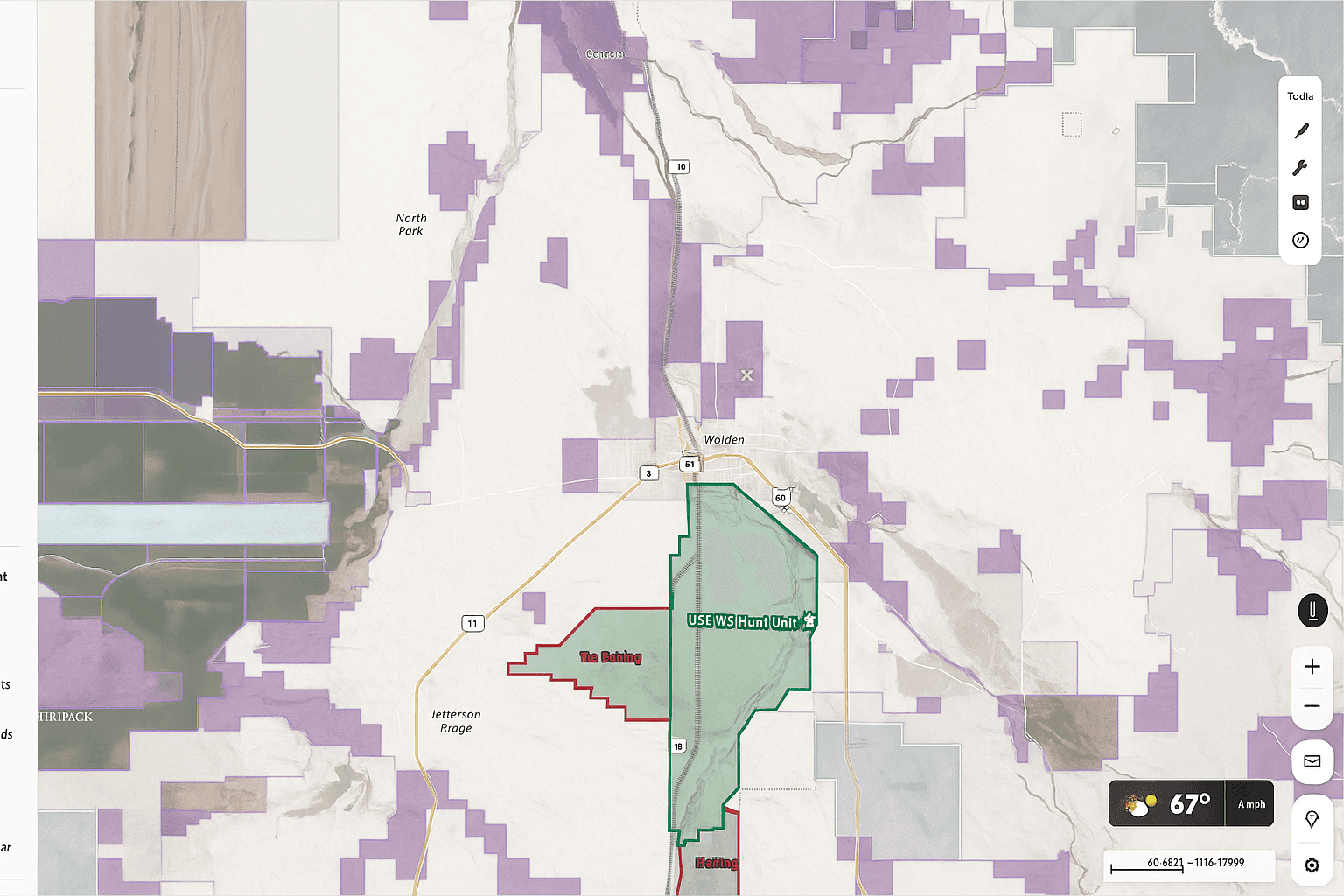
onX Hunt is built for hunters who need more than a simple road map. Save Offline Maps ahead of time and the app keeps working in places where the cellular network falls away. Public and private land boundaries remain visible, which matters in real use because a boundary line is often more valuable than a street label once boots hit the ground.
I have always thought of tools like this as layered field maps. The value comes from how the location dot sits against the boundary information. That makes decisions quicker and removes some guesswork when you are standing near a fence line or moving through unfamiliar country.
Google Maps
Google Maps can also work offline, provided you download the area first. Your phone will still show your position without service, and the app can remain useful for roads or town travel. The limitation is scope. It does not offer the same hunting-focused overlays or land tools, so once you move beyond general travel, the experience feels thinner.
onX Offroad and onX Backcountry
onX Offroad and onX Backcountry take the same offline GPS idea into different terrain. One is geared more toward vehicle travel on trails, while the other leans into hiking and backcountry movement. Both can operate without active data, and both carry land information that helps when coverage disappears.
- onX Hunt - best when land boundaries matter most.
- Google Maps - handy for downloaded road and town coverage.
Other options in this group follow the same pattern. Pick the app that matches your terrain and the kind of map detail you actually need offline.
How to Use GPS Offline While Hunting
For many hunters, the smartphone has quietly replaced the old handheld unit. Battery life has improved, map detail is better, and the interface is faster to learn. In rough country where telephone service fades in and out, that matters.
The setup is straightforward. Before leaving an area with internet access, download the map sections you expect to use. Once those files are stored on the phone, the device can combine local map information with live GPS signals from the satellite network. As long as you have enough battery and a reasonable sky view, the system can keep you oriented.
The onX Hunt App does this well offline. Saved maps can include aerial imagery and topo detail, along with the app’s own overlays. The updated offline workflow is also easier to manage than older versions. In a quick pass through the interface, sorting saved areas and renaming them took less than a minute, which is the kind of small usability detail that matters in the field.
Custom waypoints and tracks keep working beyond coverage too. If you record a track while offline, the phone stores that information locally and syncs it back to your account once service returns. A waypoint dropped during scouting is also available later on the saved map, so you can head toward it even with zero bars on the screen.
This becomes especially useful during a blood trail. Mark the first sign, then let the tracker record your path as you move. If the trail bends or doubles back, the recorded line gives you a bird’s-eye reference that is hard to rebuild from memory alone.

FAQ
Will My GPS Work If I Have No Data or Internet Connection
Yes. A phone with a built-in GPS receiver can still determine location without mobile data, Wi-Fi, or cell service. The key requirement for useful offline navigation is having a saved map on the device before you lose internet access.
How Does GPS Work Without Cell Service
Your phone receives GPS signals from satellites rather than from the cellular network. The device uses that signal along with its internal processors to estimate position. Cell towers and internet access may help with speed through Assisted GNSS, though the basic positioning function still works without them.
How Can I Use GPS Without Using Data
Download your map area in advance while connected to Wi-Fi or mobile data. After that, open the app offline and let the phone use its GPS receiver for positioning. The location function still works, but live traffic, streaming map updates, and some sharing features will wait until service comes back.
Does Google Maps Work Without Service
Yes, if you saved the area first. Google Maps can display your position offline, though you are limited to the region you downloaded. It is useful for travel and general routing, but it offers less field-specific information than a hunting-focused mobile app.
Does iPhone GPS Work Without Data
Yes. An iPhone can receive GPS signals without a data connection. Apple Maps has some offline support, but many people rely on specialized apps when they need more dependable offline mapping in remote terrain.
Will GPS Still Work in Other Countries
Yes. GPS is global, so the satellite system keeps functioning across borders. The limitation is usually map coverage or app-specific layers. Base map tools may still work, while some detailed layers are restricted to certain regions.
What Still Works Offline and What Does Not
| Feature | Works Offline | Requires Data or Internet |
|---|---|---|
| Position tracking | Yes | No |
| Route recording and saved waypoints | Yes | No |
| Saved maps already on the device | Yes | No |
| Live traffic and real-time sharing | No | Yes |
| Fresh map updates and cloud sync | No | Yes |
In practice, offline GPS still covers the basics well. You can track position and follow a saved map. Features that depend on current internet information usually pause until the phone reconnects.
What Are the Best Offline GPS App Options
onX Hunt, onX Offroad, onX Backcountry, and Google Maps all support offline location use in different ways. The best fit depends on the kind of map detail you need and the type of terrain you expect to cross.


