
Juniper Spire Streamlines High-accuracy Gnss Field Mapping


Juniper’s latest GNSS receiver, the Juniper Spire, is built to make location data collection more straightforward. In practical terms, it combines a light, compact satellite navigation device with one-button operation and correction services available from the start, so users can get precise data without a long setup cycle. Put simply, the Juniper Spire is a GNSS receiver: a field device that listens to multiple satellite signals, calculates position, and helps crews capture accurate points, lines, and asset locations for mapping, inspection, and survey-style work. From what I’ve seen with field gear, that kind of simplicity matters when a crew needs clean data collection fast rather than another layer of configuration.
Built for Everyday GIS Work
The unit is intended for rough conditions and full-day use, with smooth pairing to a mobile device and support for common apps used in a geographic information system workflow, including Esri ArcGIS Field Maps and similar mobile mapping solutions. I checked the product details the same way I would compare GIS layers across a few pages, and the emphasis is clearly on dependable field use, asset mapping, and broader GIS operations rather than lab-only performance. That makes it relevant for teams working across the United States or farther afield, especially when reliability and privacy around captured field records both matter. Rugged devices like this also tend to matter in practical geospatial work because they can take knocks, keep collecting data through long shifts, and reduce the chance that bad weather or rough handling will interrupt field records.
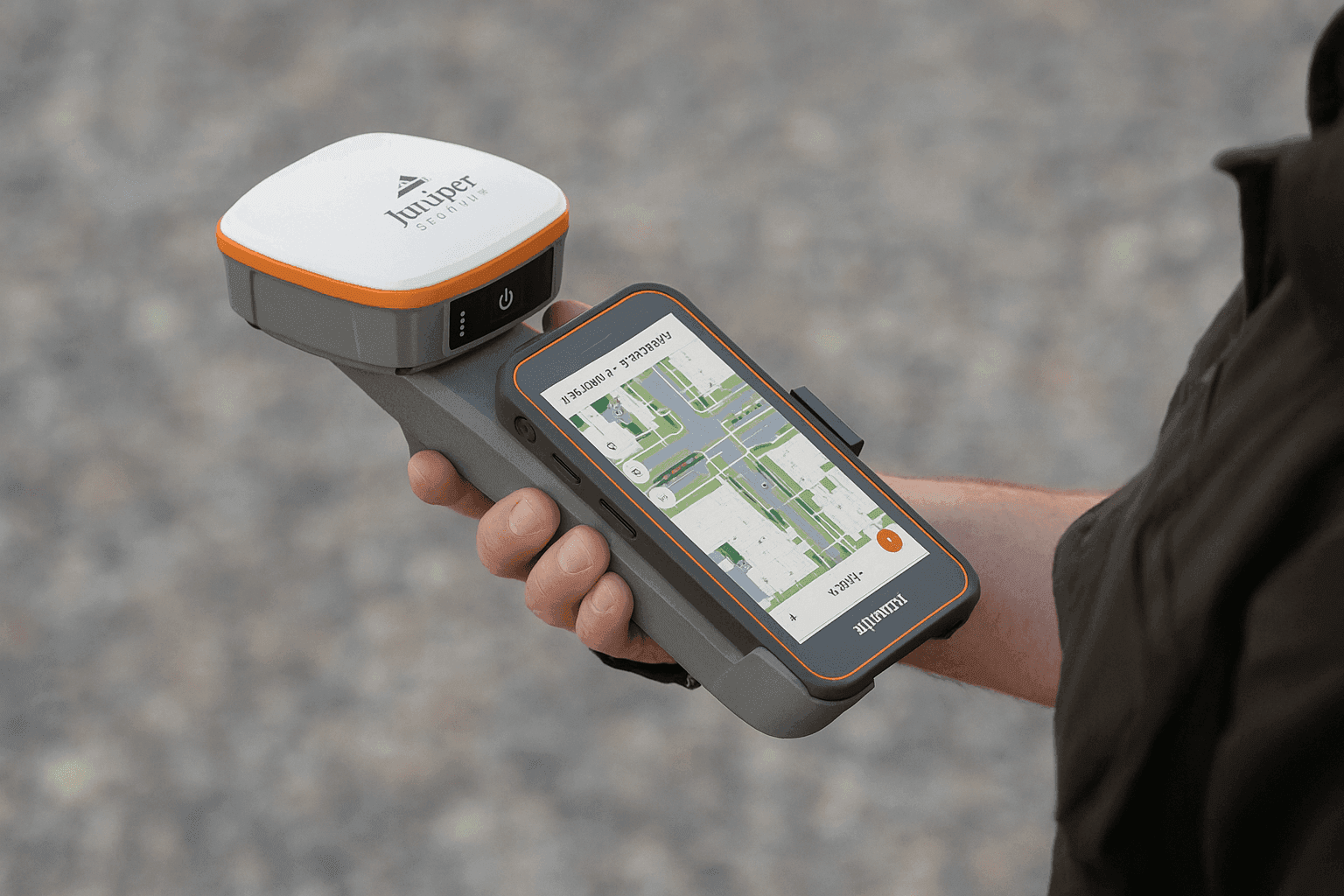
Reliable field mapping usually depends less on flashy specs than on a receiver that keeps working when conditions get messy.
Performance Across Remote and Urban Sites
Juniper designed the Spire for work in isolated locations as well as dense urban environments, where satellite visibility and signal quality can vary quite a bit.
- SBAS support
- Network RTK support
- Future correction compatibility
- Meter to centimeter-level accuracy
- Forgiving antenna behavior in uneven conditions
- Quick satellite lock
- Multi-constellation tracking
It also helps to separate a few terms that often get blurred together. GNSS is the broader category for global navigation satellite systems, while GPS is the United States system within that larger group. In other words, the United States uses GPS, but a GNSS receiver can also track other constellations, which often improves coverage and positioning when parts of the sky are blocked. Is GNSS better than GPS? In many field cases, yes, because using more than one constellation can improve availability, resilience, and accuracy, especially near trees, buildings, or steep terrain. GPS on its own still works well, but multi-constellation GNSS usually gives the receiver more signals to work with.
Common GNSS errors are still part of the picture, including multipath reflections off buildings, atmospheric delay in the ionosphere and troposphere, partial signal blockage, weak satellite geometry, and occasional correction-link issues. In my analysis, those error patterns can read a lot like messy GPS traces on a map: the position is there, but noise around the route can grow quickly if conditions are poor. Battery endurance is also part of the package, with performance aimed at long shifts and consistent use across different field scenarios. That matters for environmental monitoring, utility inspection, and other jobs where users may open several map layers, switch apps a few times, and spend 6 to 8 hours away from a charger. The overall design suggests a tool meant to stay useful across changing workflows instead of locking crews into a narrow setup or requiring an email to support just to get basic functions working.
Core Specifications
| Feature | Specification |
|---|---|
| Accuracy | Reaching roughly the 2 cm range |
| Correction support | Global correction support through SBAS, RTK, and upcoming compatibility paths |
| Hardware | Current-generation u-blox hardware |
| Weight | Under 11.2 oz |
| Platform support | Open interface support for Windows 11, Android, and iPhone or iPad |
| Connectivity | Bluetooth connectivity for fast pairing with a mobile device |
| Battery life | Rated for up to 16 hours |
Put together, those features position the Spire as a practical satellite-based tool for field teams that need dependable data collection without unnecessary friction.
Accessories, Support, and Repairs
Common accessories for a receiver in this class typically include mounting options, carrying cases, charging cables or power adapters, spare chargers, and in some workflows external antenna or pole-mount accessories. Available bundles and exact compatibility can vary, so it is worth checking the current product documentation before ordering add-ons.
For support or repairs, the usual path is the manufacturer’s support website, phone support channel, or an authorized service center. If a team is deploying several units, I would also check warranty terms, turnaround expectations, and whether replacement or loaner hardware is available during service.


